Microsoft Dynamics 365 Advantages and Disadvantages: A Comprehensive Guide
Microsoft Dynamics 365 is a cloud-based platform that bundles ERP and CRM capabilities under one umbrella. Microsoft pitches it as a single solution for finance, operations, sales, marketing, and customer service. The pitch sounds clean. The reality is messier. Dynamics 365 is not one product but a family of applications that you license, configure, and maintain individually. Some modules share a common data model and interface. Others feel like separate products stitched together through acquisitions. If your organization already runs on Microsoft infrastructure, the integration story is genuinely appealing. If it does not, the appeal fades quickly. This guide walks through the real advantages and disadvantages of Dynamics 365 based on what the platform actually does well and where it tends to frustrate operators. The goal is to give you a clear picture of what you are signing up for before you commit budget and headcount to a multi-year deployment.
Learn about the benefits and drawbacks of Microsoft Dynamics 365, a cloud-based enterprise resource planning and customer relationship management solution.
Introduction to Microsoft Dynamics 365
Microsoft Dynamics 365 is a suite of business applications that Microsoft positions as a unified cloud platform for managing financials, operations, supply chain, sales, marketing, and customer service. The suite is built on Microsoft's cloud infrastructure and shares a common data layer called Dataverse. In practice, Dynamics 365 is a collection of separately licensed apps.
- The main ERP apps include Finance, Supply Chain Management, Business Central, Project Operations, and Commerce.
- The main CRM apps include Sales, Customer Service, Marketing, and Field Service.
- Each app has its own pricing tier, feature set, and configuration requirements.
Microsoft groups these into two primary bundles: the ERP side and the CRM side. You can license individual apps or buy bundled plans depending on your needs. The platform runs on Microsoft Azure and integrates with the broader Microsoft 365 ecosystem, including Outlook, Teams, SharePoint, and Power Platform.
This integration is one of the strongest selling points for organizations already invested in Microsoft tooling.
The architecture is cloud-first, with no on-premises version available for the main apps. Microsoft handles infrastructure, patching, and updates. Your team handles configuration, data migration, user training, and ongoing administration. The platform also supports custom development through Power Apps, Power Automate, and traditional code extensions.
This means you can build tailored workflows and applications on top of the standard functionality. The tradeoff is that custom builds add cost and maintenance burden over time.
Advantages of Microsoft Dynamics 365
The biggest advantage of Dynamics 365 is its integration with the Microsoft ecosystem. If your organization already uses Outlook, Teams, Excel, SharePoint, and Azure, Dynamics 365 fits into that environment with less friction than most competitors. Users can work with CRM data directly from Outlook.
- They can pull reports into Excel without exporting files.
- They can collaborate on records inside Teams channels.
- These connections reduce context switching and make adoption easier for employees already familiar with Microsoft interfaces.
Another real advantage is the modular licensing model. You do not have to buy the entire suite at once. You can start with Sales or Customer Service and add Finance or Supply Chain later. This lets growing companies phase their investment.
The common data model through Dataverse means that data flows between apps without custom integration work in many cases. The Power Platform is another genuine strength. Power BI, Power Apps, and Power Automate let your team build reports, custom apps, and automated workflows on top of Dynamics data.
This extends the platform beyond what comes out of the box.
Microsoft also handles infrastructure, security patching, and platform updates. Your IT team does not manage servers or worry about operating system upgrades. The cloud delivery model means updates arrive twice a year automatically.
Microsoft invests heavily in AI features through Copilot, which is now embedded across the suite for tasks like drafting emails, summarizing records, and generating reports.
For organizations that want a single vendor for most of their business software, Dynamics 365 offers a coherent story.
Disadvantages of Microsoft Dynamics 365
The main disadvantage of Dynamics 365 is complexity. The platform is not a single application. It is a family of apps with overlapping features, inconsistent interfaces, and different configuration tools.
- Business Central looks and feels different from Finance.
- The Sales app has a different data model than Field Service.
- Your administrators need to understand multiple configuration environments, security models, and data structures.
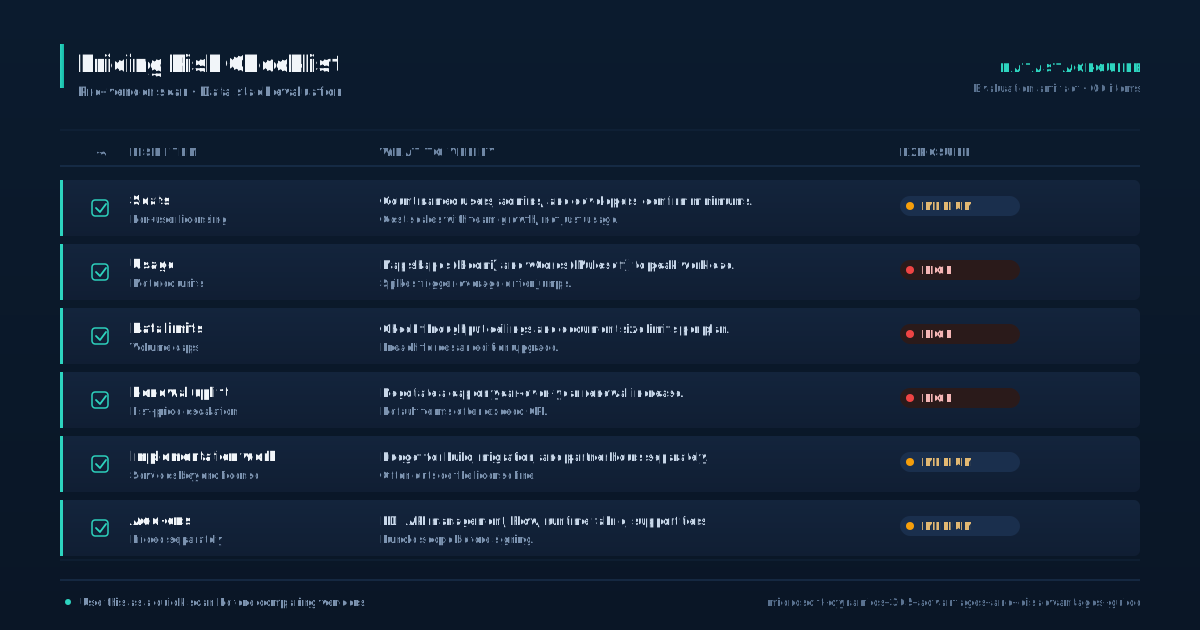
This drives up training costs and creates a dependency on specialized consultants. Cost is the second major drawback. Microsoft advertises per-user pricing, but the real total cost of ownership includes implementation consulting, custom development, data migration, third-party add-ons, and ongoing administration. A mid-market deployment can cost several times the license spend over a three-year period.
The twice-yearly update cycle is another pain point. Microsoft pushes updates automatically, and while you can schedule them within a window, you cannot skip them indefinitely. Each update can change interfaces, deprecate features, or break custom code. Your team needs a regression testing process to catch problems before they hit production.
The user interface has improved over the years but still feels inconsistent across apps. Some modules have modern web interfaces. Others retain legacy elements that date back to earlier versions of the product. Performance can also be an issue.
Heavy customizations, large data volumes, and complex reporting can slow down the system. Microsoft sets performance expectations, but real-world experience varies based on how the system is configured and how much custom code is running.
Support from Microsoft can be slow for non-critical issues, and many organizations end up relying on partners for day-to-day help.
Implementation and Integration
Implementing Dynamics 365 is a project that typically runs months, not weeks. The platform is configurable rather than code-first, but configuration is not simple. You need to define your data model, security roles, business process flows, and reporting structure before users touch the system.
- Most organizations hire a Microsoft partner or consulting firm to lead the implementation.
- This adds cost but is often necessary because the platform has enough depth that self-implementation is risky for anything beyond a pilot.
- Data migration is one of the hardest parts.
Moving data from legacy systems into Dynamics requires cleaning, mapping, and validation. The Dataverse data structure has specific rules about relationships, field types, and record ownership. Data that worked in your old system may not map cleanly. Integration with other systems is another consideration.
Dynamics 365 connects well with Microsoft products, but integrating with non-Microsoft systems like Salesforce, NetSuite, or industry-specific applications requires custom work. You can use Power Automate, Azure Logic Apps, or third-party integration platforms to build these connections. Each integration point needs monitoring and maintenance. The implementation methodology matters.
Microsoft promotes its Sure Step methodology, but most partners use their own variation. A phased rollout is generally safer than a big-bang approach. Start with one module, validate with a pilot group, and expand from there. Budget for post-go-live support.
The first three to six months after launch usually surface configuration gaps, user training needs, and data quality issues that were not visible during testing. Treat implementation as an ongoing program, not a one-time project.
Customization and Configuration
Dynamics 365 offers two paths for tailoring the system to your business processes: configuration and customization. Configuration means using built-in tools to adjust the system without writing code. You can create custom fields, modify forms, build views, set up business rules, and design dashboards through the Power Apps maker portal.
- This is the preferred path because configured changes survive Microsoft updates without breaking.
- This includes JavaScript for client-side logic, plugins for server-side processing, and custom workflows built with code rather than the visual designer.
- Custom code gives you more control but creates maintenance debt.
Customization means writing code. Microsoft updates can change the APIs or behaviors that your code depends on. You need a developer to maintain and test custom code with each release. The Power Platform blurs the line between configuration and customization.
Power Apps lets you build custom applications on top of Dataverse. Power Automate lets you build workflows that connect Dynamics with other systems. These tools are low-code, meaning that business analysts can build solutions without deep programming skills. However, complex Power Platform solutions can become difficult to maintain if they grow without governance.
The platform also supports third-party solutions from the Microsoft AppSource marketplace. These add-ons extend Dynamics with features like document management, payment processing, and industry-specific functionality. Third-party solutions can save development time but add licensing cost and create dependency on another vendor.
The general rule is to configure before you customize, and customize before you buy a third-party add-on.
Each layer adds cost and complexity. Document every change you make so that future administrators can understand what was built and why.
Security and Compliance
Security in Dynamics 365 is built on Microsoft's cloud infrastructure, which carries a strong set of certifications and compliance standards. The platform runs on Azure data centers with physical security, network isolation, and encryption at rest and in transit. Microsoft handles the infrastructure layer.
- This division means that Microsoft is responsible for keeping the servers secure, but you are responsible for configuring user access, data sharing rules, and field-level security correctly.
- You assign security roles to users, and those roles determine what records they can view, edit, create, or delete.
- The model is flexible but can get complicated quickly.
Your team handles the application layer. The security model in Dynamics is role-based. You can set security at the record level, field level, and even at the column level. Poorly configured security roles are a common source of data exposure.
Someone with too broad a role can see records they should not access. Someone with too narrow a role cannot do their job. Compliance is another area where Microsoft provides a foundation but you do the work.
Dynamics 365 is covered under Microsoft's compliance framework, which includes standards like ISO 27001, SOC 2, HIPAA, and GDPR.
This means the platform itself meets these standards. Your configuration, data handling, and business processes must also meet them. Microsoft Purview integrates with Dynamics to help with data classification and governance. For organizations in regulated industries like healthcare, finance, or government, the compliance story is solid but requires active management.
You need to audit access logs, review security roles regularly, and ensure that data retention policies are enforced. Security is not a set-it-and-forget-it task.
Support and Training
Microsoft offers several tiers of support for Dynamics 365. The base level is included with your subscription and covers break-fix issues through Microsoft's support portal. Response times and resolution quality vary.
- For non-critical issues, you may wait days for a response and go through multiple rounds of back-and-forth before getting a useful answer.
- Many organizations supplement Microsoft support with a partner support plan.
- Partners who implemented your system know your configuration and can often resolve issues faster than Microsoft's general support team.
For critical production-down issues, Microsoft responds faster. This adds cost but reduces downtime. Training is a different challenge. Microsoft provides free learning paths through Microsoft Learn, which covers the basics of each app.
The documentation is thorough but can be dense. It is written for administrators and developers, not end users. For end-user training, most organizations create their own materials or hire a partner to deliver customized sessions. The interface varies across apps, so training for Sales users differs from training for Finance users.
This means you cannot build one training program and apply it to everyone. Ongoing training is necessary because the twice-yearly updates change features and interfaces. What users learned at launch may not match what they see six months later. A change management process helps here.
Communicate upcoming changes before each update wave, test new features in a sandbox environment, and update training materials accordingly. The Power Platform adds another training dimension. If your team builds custom apps or workflows, someone needs to understand how those tools work and how to maintain them over time.
Conclusion and Next Steps
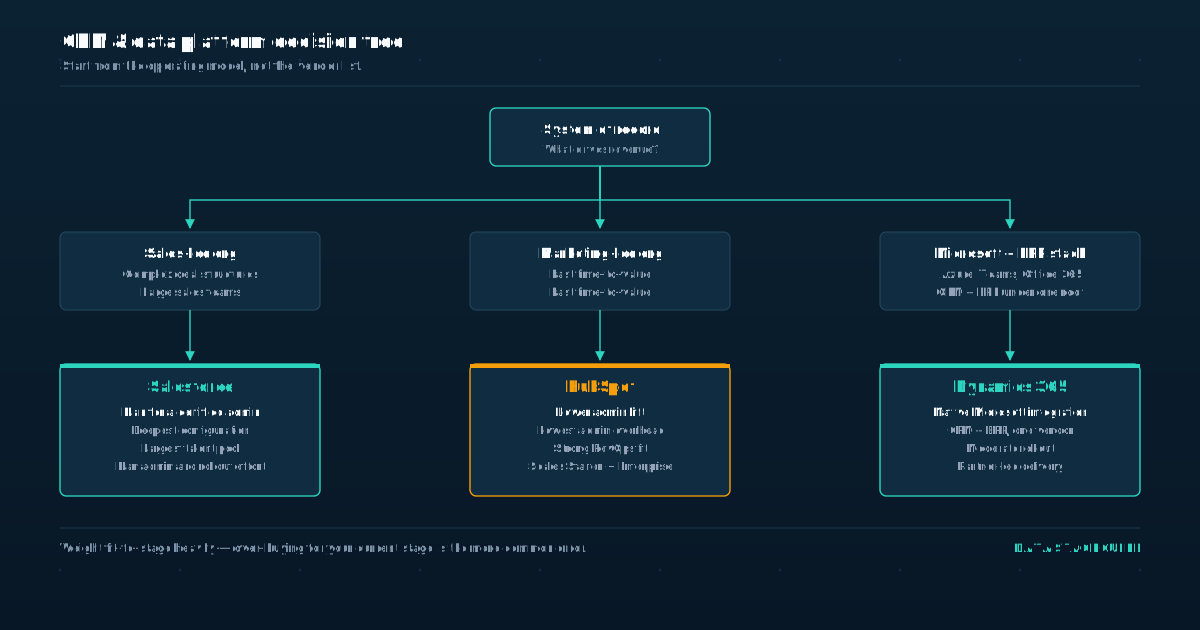
Deciding whether Dynamics 365 is the right fit comes down to three factors: your current technology stack, your internal resources, and your budget tolerance. If your organization already runs on Microsoft 365 and Azure, Dynamics 365 is a natural extension. The integration with Outlook, Teams, and Power Platform reduces friction and shortens time to value.
- If your stack is mixed or leans toward Google, AWS, or other vendors, the integration advantage shrinks and you should weigh Dynamics against alternatives like Salesforce, NetSuite, or Oracle.
- Dynamics 365 needs administrators who understand the platform, developers who can write and maintain custom code, and business analysts who can translate processes into configuration.
- If you do not have these roles, you will depend on external partners.
Assess your internal team honestly. That dependency is manageable but expensive. Budget for implementation costs that match or exceed your first-year license spend. Get a partner to scope the work before you commit.
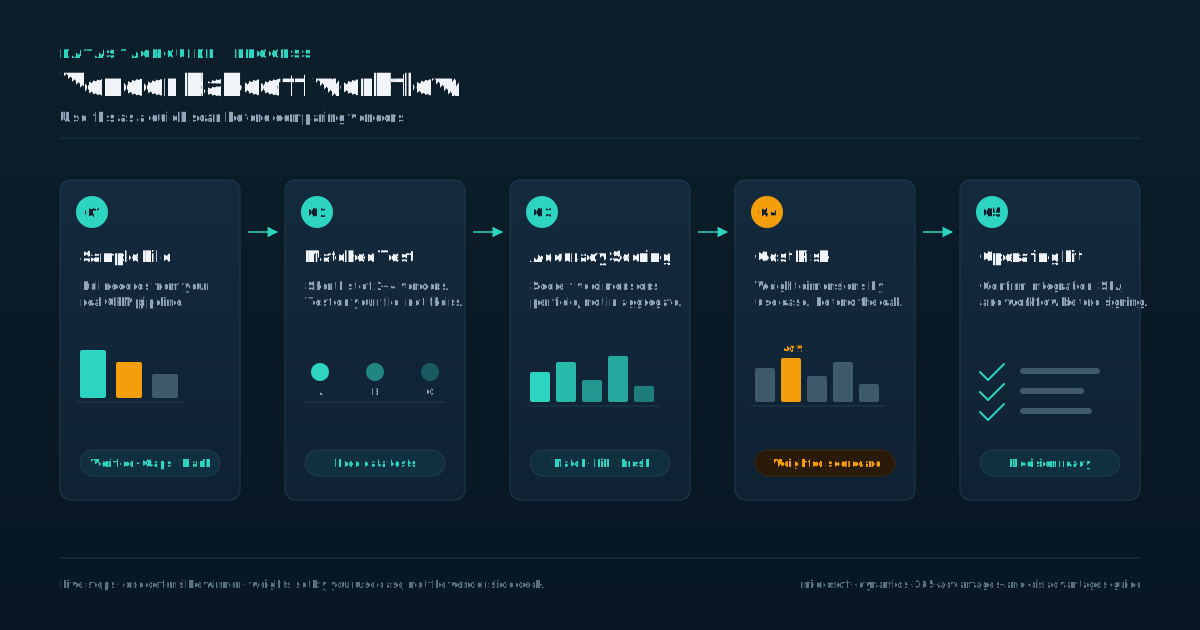
Run a proof of concept with one module before expanding. Talk to reference customers in your industry who have gone through a similar deployment. Ask them what went wrong, not just what went right. Finally, map your critical business processes to the platform before signing.
If Dynamics handles your core processes out of the box or with light configuration, it is a reasonable choice. If every core process needs heavy customization, the total cost will climb and the maintenance burden will grow. The platform works best when you adapt your processes to it, not the other way around.
Sources
Frequently Asked Questions
What is the difference between Microsoft Dynamics 365 and other ERP solutions?
Microsoft Dynamics 365 is a cloud-based solution that provides a range of benefits, including improved operational efficiency and better customer data visibility.
It is designed to be highly customizable and integrates tightly with other Microsoft tools like Outlook, Teams, and Power Platform. Other ERP solutions may offer similar functionality but differ in integration depth, pricing model, and ecosystem.
How much does Microsoft Dynamics 365 cost?
The cost of Microsoft Dynamics 365 varies depending on the specific deployment and requirements of the organization. Microsoft publishes per-user pricing for each app, but the total cost of ownership includes implementation consulting, data migration, custom development, and ongoing administration.
Consult with a Microsoft partner or representative to scope pricing for your specific needs.
Is Microsoft Dynamics 365 suitable for small businesses?
Microsoft Dynamics 365 can work for small businesses, particularly through Business Central, which serves smaller organizations.
However, the complexity of implementation and ongoing administration means small businesses should carefully evaluate whether they have the internal resources or partner support to manage the platform effectively.
Can Microsoft Dynamics 365 be integrated with other Microsoft tools?
Yes, Microsoft Dynamics 365 is designed to integrate tightly with other Microsoft tools, including Office 365, Teams, SharePoint, Azure, and the Power Platform. This integration is one of its primary advantages for organizations already invested in the Microsoft ecosystem.
What kind of support and training is available for Microsoft Dynamics 365?
Microsoft provides a range of support and training options for Microsoft Dynamics 365, including free learning paths through Microsoft Learn, online documentation, and tiered support plans. Many organizations also work with Microsoft partners for implementation support and customized training.