Is Salesforce Marketing Cloud a CRM? Understanding the Platform's Capabilities
Salesforce Marketing Cloud gets lumped into the CRM conversation because it carries the Salesforce name and sits in the same product catalog as Sales Cloud. That naming overlap creates real confusion for buyers trying to figure out what they are actually purchasing. Marketing Cloud is a marketing automation platform. It handles email campaigns, social media posting, advertising, and customer journey orchestration. CRM, on the other hand, refers to systems that manage sales pipelines, track deal stages, store customer records, and give sales reps a workspace to log calls and update opportunities. The two categories overlap in places but serve different primary jobs. This guide breaks down what Marketing Cloud actually does, where it touches CRM territory, where it falls short, and whether a business can reasonably run its customer management operations on it alone. The short answer is no, but the reasoning matters more than the answer. Understanding why helps you avoid buying the wrong tool or expecting it to perform work it was never built to do.
Learn about Salesforce Marketing Cloud's features and whether it can be considered a customer relationship management tool
Introduction to Salesforce Marketing Cloud
Salesforce acquired what became Marketing Cloud in 2013 when it purchased ExactTarget, an email marketing company. That origin shapes what the platform is today. Marketing Cloud started as an email engine and grew outward into social media, mobile messaging, advertising, and web personalization.
- The platform targets mid-market and enterprise companies that need to run coordinated campaigns across multiple channels and manage large subscriber lists.
- Small businesses can use it, but the configuration overhead and pricing model make it a heavy lift for teams without dedicated marketing operations staff.
- The platform is sold in tiers, with different studios and builders depending on what you buy.
Email Studio is the core email component. Journey Builder handles cross-channel orchestration. Audience Builder and Contact Builder manage segmentation and contact data. Advertising Studio ties into ad platforms.
Social Studio covers social posting and listening. Each of these components operates somewhat independently, which means implementation is not a single unified setup. You configure each studio based on your needs, and the data model behind them can get complex quickly.
Marketing Cloud runs on its own data infrastructure, separate from the core Salesforce platform that powers Sales Cloud.
That separation matters when you start asking whether this tool can function as a CRM. The data architecture, the user interface, and the primary use cases all point toward marketing execution rather than sales management.
Understanding this origin story and structural setup helps explain why Marketing Cloud behaves the way it does and where its boundaries sit.
Marketing Automation Capabilities
Marketing Cloud's real strength is campaign execution. Email Studio handles template design, subscriber list management, send scheduling, and tracking. You can build triggered sends based on subscriber behavior, segment audiences by attributes or activity, and run A/B tests on subject lines, content blocks, or send times.
- Journey Builder extends this into multi-step, cross-channel workflows.
- You can define a journey where a customer receives an email, then an SMS message, then waits for a response, then gets pushed an ad based on their interaction pattern.
- The branching logic supports decision splits, random splits, and activity-based triggers.
Social Studio lets teams publish content across social platforms, listen for brand mentions, and engage with followers from a shared inbox. Advertising Studio connects to Facebook, Google, and other ad networks to sync audiences and retarget subscribers based on email engagement data. Mobile Studio handles SMS and push notifications.
Lead scoring exists within the platform, though it works differently than what you would find in a dedicated CRM.
Marketing Cloud can assign scores based on email opens, clicks, and other engagement signals, then route those scores to connected systems. The automation engine is powerful but requires someone who understands data extensions, SQL queries, and journey logic to configure it properly.
Out of the box, the platform does not hand you prebuilt workflows for common scenarios. Your team builds them.
That setup cost is a real factor when evaluating whether Marketing Cloud can cover CRM territory, because CRM systems typically come with sales workflows ready to go.
CRM-like Features in Marketing Cloud
Marketing Cloud does store contact data, and that is where the CRM confusion starts. Contact Builder lets you define contact records, link them to data extensions, and manage attributes like name, email, preferences, and engagement history. You can create segments based on any field in your data model.
- You can track a contact's interactions across email, social, and mobile channels.
- In that sense, Marketing Cloud maintains a customer database.
- But storing contact data is not the same as managing customer relationships in the way a CRM does.
A CRM gives sales reps a workspace to log calls, update deal stages, set follow-up tasks, and see a pipeline view of opportunities. Marketing Cloud has no opportunity object, no deal stage field, no quote-to-close workflow, and no rep-facing interface designed for pipeline management.
The contact model in Marketing Cloud is built for segmentation and targeting, not for sales activity tracking. You cannot open a contact record and see a timeline of sales calls, meeting notes, and next steps.
You see marketing interactions: email opens, clicks, journey membership, and campaign participation. Account management is similarly absent. There is no account hierarchy, no linked contacts within an account, no revenue tracking tied to a company entity. Lead scoring exists but feeds into marketing qualification, not sales qualification.
The distinction matters because a sales team cannot work out of Marketing Cloud. They need a system that shows them what to do today, which deals are slipping, and where to spend their time. Marketing Cloud does not provide that workspace.
Integration with Salesforce Sales Cloud
The most common deployment pattern is running Marketing Cloud alongside Sales Cloud, with the two systems connected through Salesforce's standard integration. Sales Cloud serves as the CRM where sales reps manage accounts, contacts, opportunities, and activities.
Marketing Cloud handles the campaign side, pulling contact data from Sales Cloud to build audiences and pushing engagement data back so sales reps can see what their contacts are doing.
- The integration uses Marketing Cloud Connect, which syncs leads, contacts, and campaign members between the two systems.
- You can configure it to push email send results, click data, and journey status back to Sales Cloud activity history.
- Sales reps see marketing engagement on their contact records without leaving their CRM.
This setup is where the Salesforce platform model actually makes sense. Each tool does what it is built for, and the data flows between them. But the integration is not automatic out of the box. It requires configuration, data mapping, and ongoing maintenance.
You need to decide which fields sync, how often they sync, and what happens when records exist in both systems with conflicting data. Duplicate management becomes a real concern. The integration also depends on your Salesforce edition and Marketing Cloud tier. Not every combination supports full bidirectional syncing.
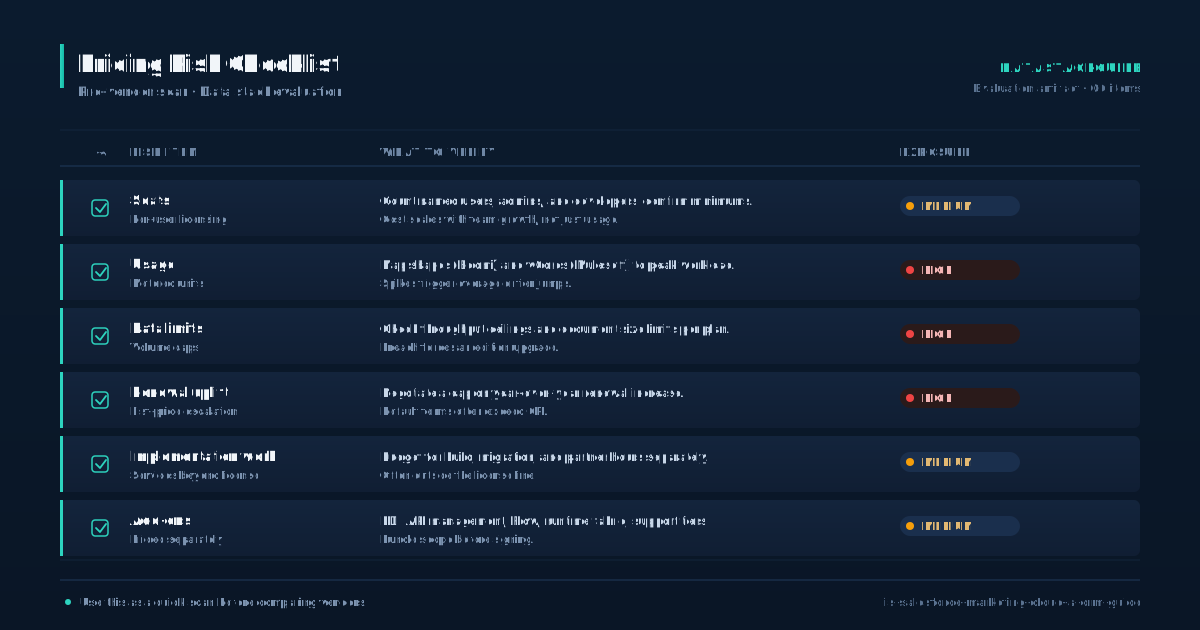
Some organizations end up with one-way data flows, which limits what sales reps can act on. The integration cost, both in licensing and implementation time, is a factor that buyers often underestimate.
If you are considering Marketing Cloud as a CRM replacement, the fact that Salesforce itself positions it as a companion to Sales Cloud tells you something about its intended role.
Campaign Management and Customer Engagement
Campaign management is where Marketing Cloud earns its keep. The platform lets you build multi-channel campaigns that span email, SMS, social, and advertising. Journey Builder is the orchestration engine.
- You define entry events, such as a form submission, a purchase, or a date trigger, and then map out a sequence of activities.
- Each step can include sends, waits, decision splits, and updates to contact data.
- You can use dynamic content blocks based on subscriber attributes, pull data from data extensions to customize messages, and build audience segments from any field in your data model.
The personalization capabilities are solid. Analytics live inside the platform through Reporting and Analytics Builder. You can track email performance, journey completion rates, conversion events, and engagement trends over time.
The reporting engine requires some setup knowledge, and the dashboards are not as flexible as what you would find in a dedicated BI tool, but they cover the marketing measurement basics.
Customer engagement features extend beyond email. You can configure mobile push messages, in-app messages, and social interactions. The platform also supports predictive intelligence through Einstein, which can recommend content, optimize send times, and score engagement propensity. These features add value but come at additional cost and require sufficient data volume to produce meaningful results.
For campaign execution and engagement tracking, Marketing Cloud does the job well. The question is whether campaign execution and engagement tracking are the same as customer relationship management. They are related, but they are not the same discipline. A CRM tracks the full relationship lifecycle from first contact through close and ongoing account management.
Marketing Cloud tracks the marketing touchpoints along that lifecycle.
Limitations of Marketing Cloud as a CRM
If you try to use Marketing Cloud as your primary CRM, you run into structural gaps quickly. The biggest gap is the absence of a sales pipeline. There is no opportunity object, no deal stage tracking, no forecast view, and no quota management.
- Sales reps have no workspace inside Marketing Cloud.
- They cannot log calls, set reminders, or see a prioritized list of accounts to work today.
- The contact model is built for marketing segmentation, not for sales activity logging.
You can store contact attributes, but you cannot replicate the workflow that a sales rep needs: open a contact, see recent activity, log a call, update the deal stage, set a follow-up task. Those actions require a CRM. Data management is another limitation. Marketing Cloud uses data extensions, which are essentially database tables.
They are powerful for segmentation but unforgiving for everyday record management. There is no inline editing of contact records in the way a CRM provides. Updating a contact requires either a data import, an API call, or an automation workflow. For a marketing team running campaigns, that is fine.
For a sales team managing daily interactions, it is unworkable. Collaboration features are minimal. There is no chatter feed on contact records, no task assignment between team members, and no calendar integration for scheduling follow-ups. The platform does not support the day-to-day mechanics of a sales team.
Reporting is marketing-focused. You get email open rates, click rates, and journey analytics. You do not get pipeline coverage reports, win-loss analysis, or rep performance dashboards. These limitations are not flaws in the product.
They reflect the fact that Marketing Cloud was built for a different job.
Comparison to Dedicated CRM Solutions
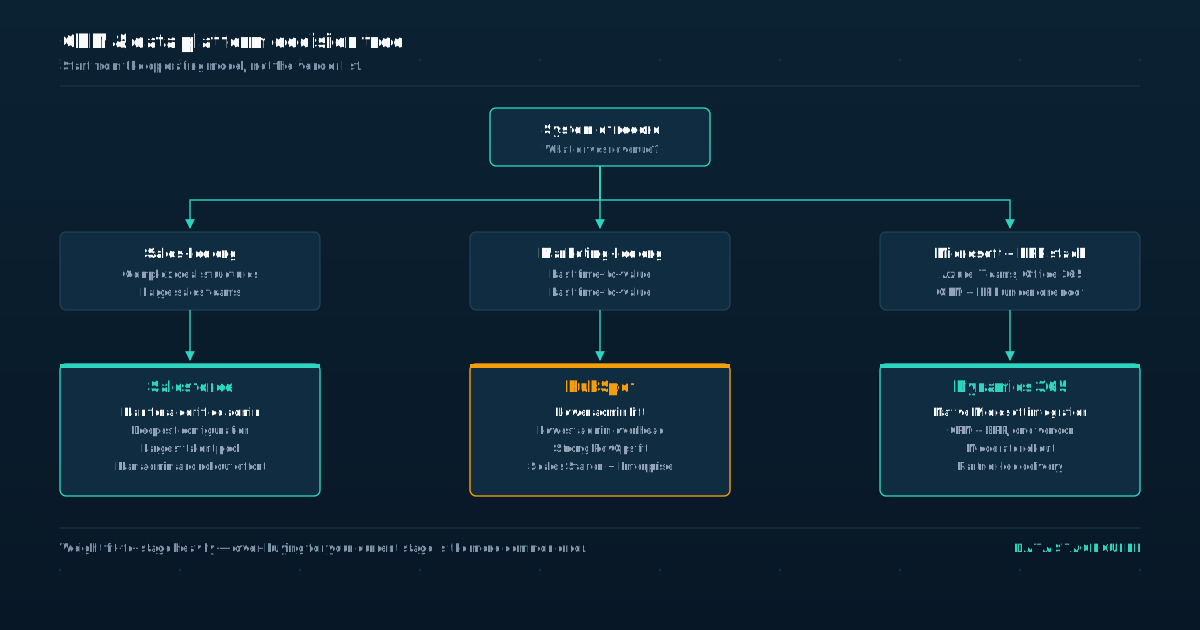
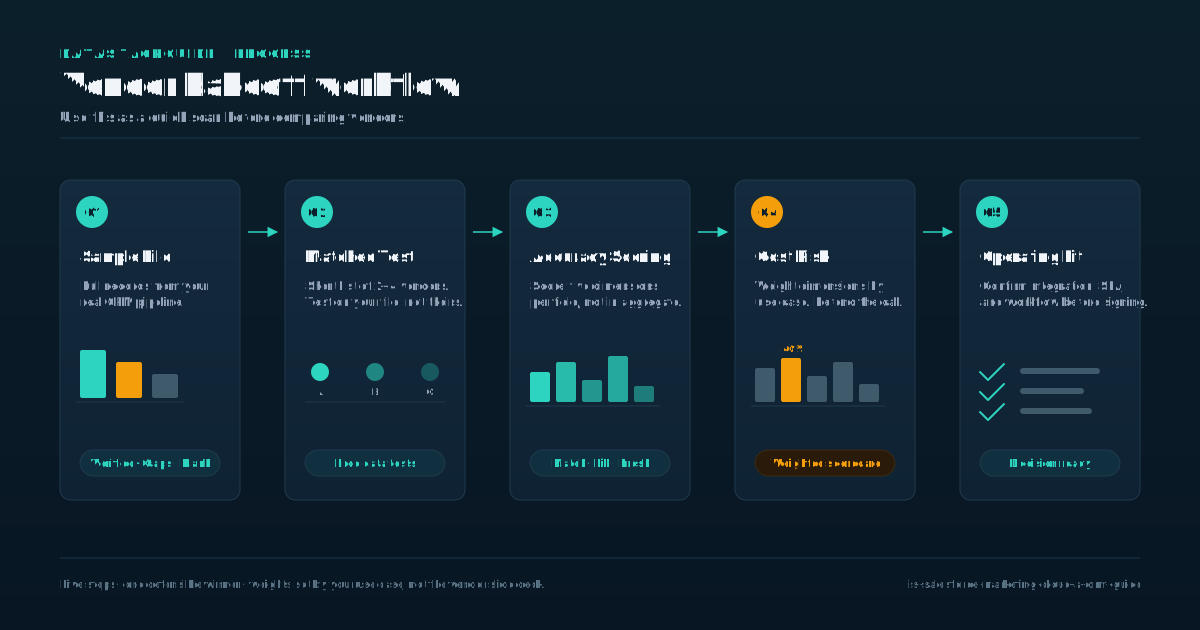
When you compare Marketing Cloud to dedicated CRM systems like Sales Cloud, HubSpot, or Microsoft Dynamics, the differences are clear. A dedicated CRM provides contact and account management, opportunity tracking, activity logging, pipeline reporting, and sales team collaboration tools. Marketing Cloud provides email marketing, journey orchestration, audience segmentation, and engagement analytics.
- CRM systems typically charge per user per month, with tiers based on feature access.
- Marketing Cloud charges based on the number of contacts or subscribers and the specific studios you license.
- The pricing model reflects the platform's marketing focus: you pay for the size of your audience and the channels you use, not for the number of sales reps on the system.
The feature sets barely overlap. Pricing structures also differ. Target audience is another differentiator. CRM systems are built for sales teams, account managers, and customer service reps.
Marketing Cloud is built for marketing teams: email specialists, campaign managers, marketing operations professionals, and data analysts. The skills required to administer each system are different. A CRM admin configures sales processes, page layouts, and workflow rules. A Marketing Cloud admin writes SQL queries, builds data extensions, and configures journey logic.
Some platforms attempt to bridge both worlds. HubSpot, for example, offers marketing automation and CRM in a single product. But even HubSpot separates the marketing hub from the sales hub, and the depth of each is less than what you get from a specialized tool.
Salesforce itself keeps the two functions in separate products for a reason.
The buyer profile, the admin skill set, and the day-to-day usage patterns are different enough that combining them into one tool would compromise both. If you need both functions, you buy both tools and integrate them.
Decision Framework and Recommendations
The decision comes down to what problem you are solving. If your primary need is managing sales relationships, tracking deals, and giving reps a workspace, you need a CRM. Marketing Cloud will not fill that role.
- If your primary need is running marketing campaigns across email, social, mobile, and advertising channels, Marketing Cloud does that job well.
- If you need both, the standard approach is to buy Sales Cloud for CRM and Marketing Cloud for marketing automation, then connect them.
- That is what Salesforce itself recommends, and it is the deployment pattern most enterprise customers follow.
For smaller businesses, the combined cost and implementation effort of both platforms may be prohibitive. In that case, a tool like HubSpot or ActiveCampaign, which bundles CRM and marketing automation in a lighter package, may be a better fit. The tradeoff is depth.
Those combined tools do not match Marketing Cloud's campaign execution power or Sales Cloud's sales management depth.
If you already have Marketing Cloud and are wondering whether you can skip buying a CRM, the answer depends on your sales team's needs. A solo founder doing occasional outreach might manage with Marketing Cloud's contact data and a spreadsheet. A sales team of any real size cannot.
They need pipeline visibility, activity tracking, and a system designed for daily sales work.
The practical recommendation is to treat Marketing Cloud as a marketing platform and budget for a CRM separately. Trying to stretch Marketing Cloud into a CRM role will frustrate your sales team and leave gaps in your customer management process that cost you deals.
Sources
Frequently Asked Questions
Can Salesforce Marketing Cloud be used as a standalone CRM solution?
No. Marketing Cloud stores contact data and tracks marketing engagement, but it lacks opportunity tracking, deal stage management, sales activity logging, and a rep-facing workspace. It is a marketing automation platform, not a CRM.
How does Marketing Cloud integrate with Salesforce Sales Cloud?
Marketing Cloud Connect syncs leads, contacts, and campaign members between the two systems. You can push email engagement data back to Sales Cloud activity history so sales reps see marketing interactions on their contact records.
The integration requires configuration and ongoing maintenance.
What are the primary features of Salesforce Marketing Cloud?
Email Studio for email marketing, Journey Builder for cross-channel orchestration, Social Studio for social publishing and listening, Advertising Studio for audience syncing with ad platforms, Mobile Studio for SMS and push, and Analytics Builder for reporting.
Is Salesforce Marketing Cloud suitable for small businesses?
It can be, but the configuration overhead, admin skill requirements, and pricing model make it a better fit for mid-market and enterprise companies. Small businesses without dedicated marketing operations staff may find lighter tools more practical.
How much does Salesforce Marketing Cloud cost?
Pricing depends on the studios you license and the size of your contact database. Salesforce does not publish standard list prices for Marketing Cloud. You need to contact Salesforce directly for a custom quote based on your requirements.