Free B2B Contact Databases (2026)
Free B2B contact databases give you access to company and contact information without paying for a subscription. If you search for a free B2B contact database, you typically find platforms that offer a limited number of credits, basic filters, or community-sourced data. These tools work well for testing a market, building a first account list, or helping a founder do early outbound. They are not a magic source of unlimited verified leads. Free data works when you are careful about volume, verification, and manual research. To get usable results, you need to cross-check contacts against LinkedIn or company websites. This guide covers the best free B2B contact databases available in 2026, what each one offers, and how to make the most of their limits without wasting time on bad data.
A practical guide to free B2B contact databases, free tiers, manual list building, and when free prospecting data stops being enough.
What Free B2B Contact Data Really Means
Free B2B contact databases are rarely free in the way you expect. Most platforms like Apollo, LeadIQ, and Lusha offer a free tier that gives you 5 to a limited monthly credit pool per month, enough to test a few records but not to build a pipeline.
- The mistake buyers make is assuming "free" means unlimited access to verified emails and phone numbers.
- In practice, free tiers exist to demonstrate data quality and lock you into a paid subscription once you need volume.
- The tradeoff is between data freshness and cost.
Free contact data often comes from public sources or outdated scrapes, meaning you waste time on bounced emails and wrong numbers. A better decision rule is to use free tiers only for validating your ideal customer profile on 10 to a small validation sample.
If the data matches your target titles and companies, then invest in a paid plan for the full list. Otherwise, you risk building a pipeline on bad data. Your real cost is not the subscription fee but the wasted outreach effort. Sending 200 emails to incorrect contacts costs you reputation and time.
A practical approach is to combine a free trial from one provider with manual verification using LinkedIn Sales Navigator's free search. This gives you 30 to 50 high-confidence contacts per month without paying. Once you need more than a larger monthly list monthly, budget for a paid plan.
Free B2B contact data works for testing, not for scaling.
When Free Data Is Good Enough
Free contact databases work well when your target list is large and your accuracy needs are modest. If you need 5,000 company contacts for a broad outreach campaign, a free tool like Apollo's limited tier or LeadIQ's free plan can deliver usable emails and phone numbers.
- The tradeoff is that free data often lacks recency.
- For prospecting into SMBs or industries with high turnover, that level of accuracy can still generate enough replies to justify the effort.
- The mistake most buyers make is using free data for high-value, narrow accounts.
If you are targeting 50 specific decision makers at Fortune 500 companies, free databases will fail you. Those contacts are heavily scraped, often outdated, and rarely verified. In that scenario, paying for Lusha's credit-based plans or LinkedIn Sales Navigator's advanced filters gives you direct access to current profiles and verified emails.
The cost per contact becomes trivial compared to the wasted time from bad data. The free tier is a testing ground, not a production system. Treat it as such and you will avoid the frustration of chasing phantom leads.
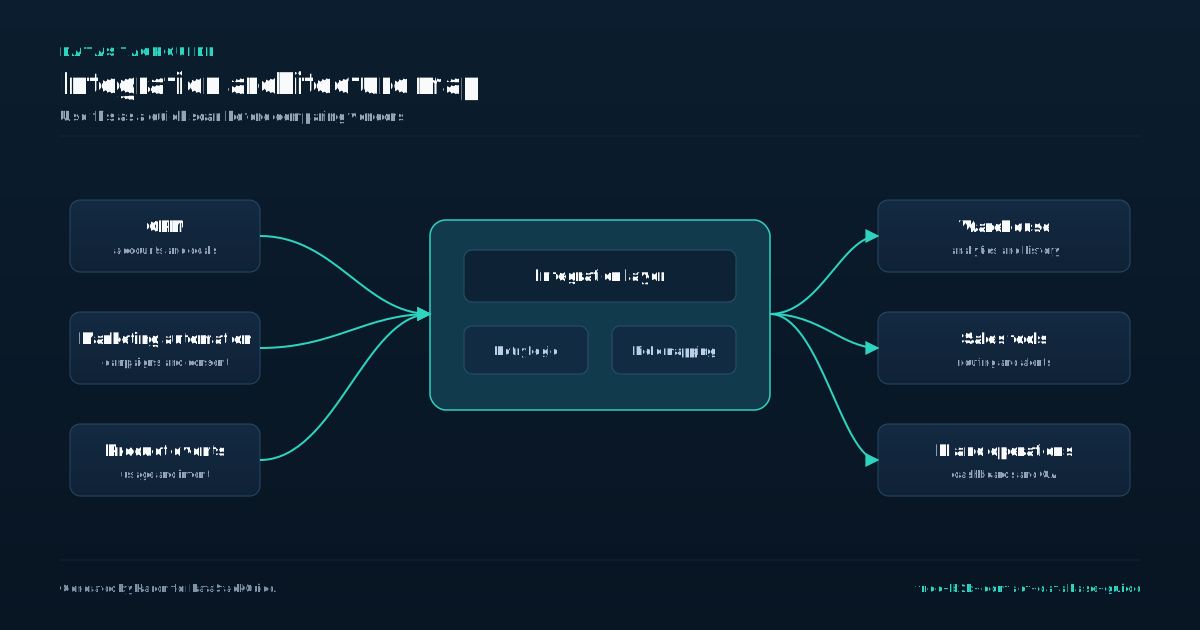
The Best Free and Low-Cost Starting Points
Start with Apollo's free tier, which offers up to a very large credit pool per month and access to a large database of contacts and companies. This is the most generous free option for volume, but the data quality varies by industry and region.
- You can export up to a smaller validation sample per day, so plan your outreach in batches.
- For smaller teams needing verified direct dials and email addresses, LeadIQ's free plan gives a limited monthly credit pool per month with a Chrome extension that captures data from LinkedIn profiles.
- Lusha's free tier provides five credits per month, which is too limited for regular prospecting but useful for spot-checking a few high-value contacts.
Use the trial to build saved lead lists and export them via a third-party tool before it expires. A common mistake is treating free tiers as permanent solutions. Apollo's free credits reset monthly, so you cannot stockpile them.
If you need a focused contact sample per month, you will hit the daily export cap in five days.
The tradeoff is between data freshness and cost: free databases often contain outdated records, especially for small companies or fast-changing roles. Decision rule: if your target list has fewer than a small target list, use the LeadIQ free plan plus LinkedIn Sales Navigator trial.
Avoid paying for a full database subscription until you have tested data quality on a small sample. The cheapest path is not always the lowest cost when you factor in time wasted on bounced emails and wrong numbers.
How to Build a Manual Prospecting Workflow
A manual prospecting workflow starts with a clean list of target accounts, not a list of names. Use LinkedIn Sales Navigator to build a saved search of decision makers at companies that match your ideal customer profile.
- Export those profiles to a spreadsheet, then run each name through a free tier of Apollo, LeadIQ, or Lusha to pull verified email addresses and direct phone numbers.
- A common mistake is skipping the account-level filter and pulling contacts from any company that appears, which floods your pipeline with unqualified leads.
- Once you have a contact list, prioritize by engagement signals.
Check if the person has posted on LinkedIn recently, changed jobs, or interacted with your content. These signals indicate a higher likelihood of response. For example, a prospect who shared a post about data quality last week is worth a personalized email, while a cold contact with no recent activity should receive a lighter touch.
Finally, set a weekly cadence that balances research and outreach. Dedicate Monday and Tuesday to building and enriching lists, Wednesday to sending personalized emails, and Thursday to following up. Use a simple CRM like HubSpot's free tier to track replies and avoid duplicate outreach.
The decision rule here is simple: if you cannot send at least 50 personalized emails per week from a free database, your workflow is too slow. Speed matters because contact data decays fast,a verified email today can bounce in three months.
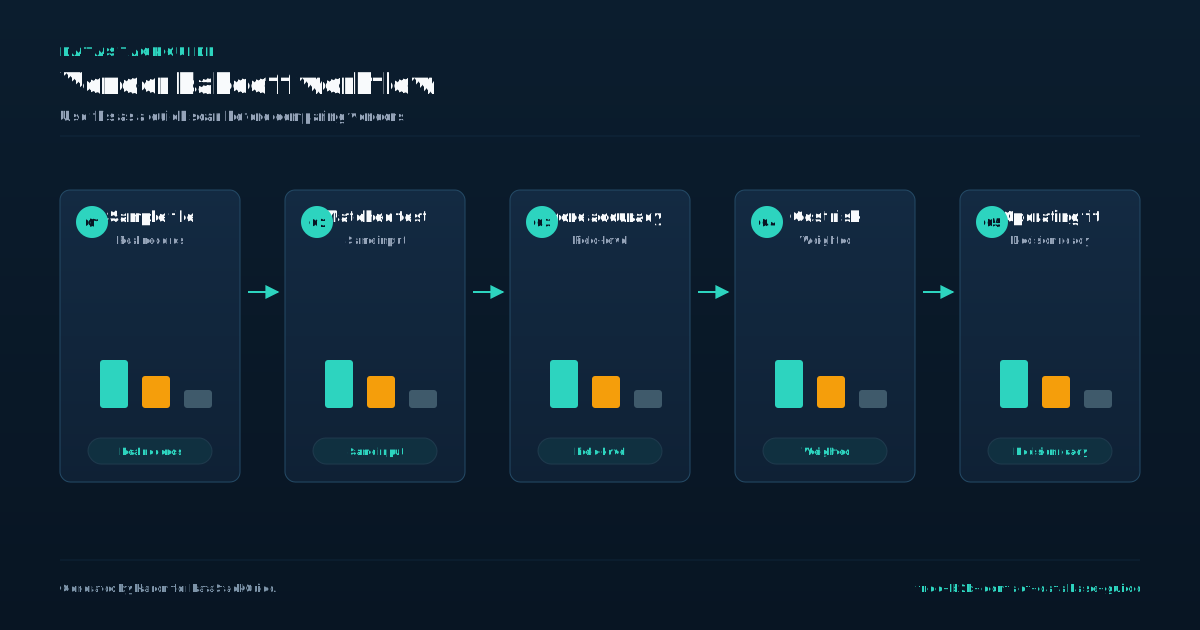
Verification Rules for Free Data
Free data sets often arrive with stale or incorrect contact details, and the cost of acting on bad information is higher than the price of a verified record. A single bounced email or wrong phone number wastes your rep's time and damages sender reputation.
- Before you load any free list into your CRM, run it through a verification tool like NeverBounce, ZeroBounce, or MillionVerifier.
- That small expense prevents the larger waste of dialing dead numbers or sending into invalid inboxes.
- A common mistake is trusting the original source's own verification badge.
Many free databases claim "verified" contacts, but their definition of verification may be a simple syntax check, not a live inbox test. Always run a separate, third-party verification pass on any free data. The tradeoff is speed versus accuracy. Free data gives you volume fast, but each unverified record carries hidden cost.
Compare this to paid sources like Apollo, LeadIQ, or Lusha, which include real-time verification in their monthly fees. If your team needs fewer than 200 verified contacts per month, paying for a tool may be cheaper than cleaning free lists. For larger volumes, free data plus a verification service often wins on total cost.
Where Free Data Breaks Down
The first sign of trouble is contact accuracy. Apollo, LeadIQ, and Lusha all offer free tiers, but those credits vanish fast. A single sales development rep pulling 50 leads a day will exhaust Apollo's free 50 monthly credits in one session.
- After that, you either pay or accept stale data.
- LinkedIn Sales Navigator's free trial gives you search filters but no direct contact details.
- Job changes, company closures, and role shifts happen weekly.
The mistake is assuming free means unlimited. It does not. You get a sample, not a pipeline. Data decay compounds the problem.
Free lists lack the refresh cycles that paid subscriptions include. One buyer I worked with spent two weeks building a list of 500 CFOs from a free source. Only 120 emails worked. The rest were wrong or outdated.
That is not a lead list. That is a time tax. The tradeoff is simple. Free data works for testing a new market or validating a hypothesis.
It fails when you need scale or reliability. Above that, the opportunity cost of missed meetings outweighs the subscription price. Know your threshold before you start.
When to Upgrade to a Paid Provider
Free databases serve well for testing outreach workflows or building small prospect lists, but they break down when you need reliable contact data at scale. A common mistake is assuming free tools can support consistent outbound campaigns.
- After roughly 50 to 100 verified contacts, most free tiers hit limits on exports, data freshness, or search filters.
- You start seeing outdated emails, bounced messages, and wasted time on dead leads.
- That is the signal to evaluate paid options.
The tradeoff is clear: free data gives you volume without verification, while paid providers guarantee deliverability and save your team from manual cleanup. Start with a single paid seat for your top performer, test for a short trial window, then expand.
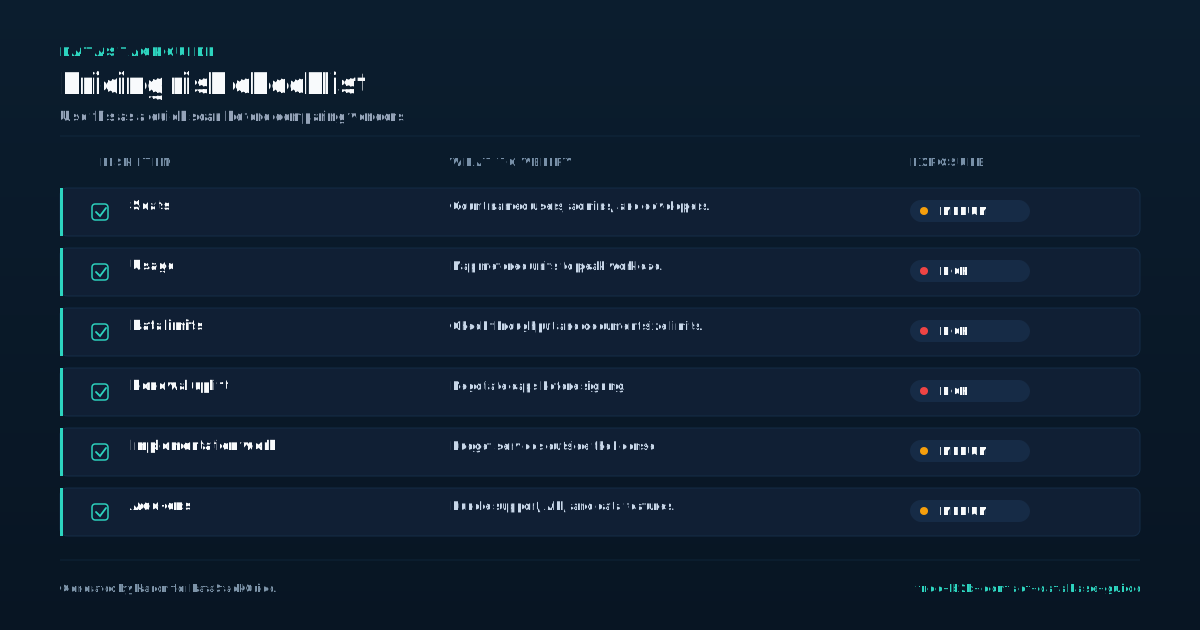
Free Data Buying Checklist
Before you buy any free B2B contact database, run it through a five-point checklist to avoid wasting time on stale or inaccurate records. First, verify the data source's refresh cadence.
- Apollo claims weekly updates on email and phone data, but LeadIQ and Lusha both rely on user-submitted corrections and public web scraping, which can lag by months for smaller companies.
- Second, check the coverage ratio for your target titles and industries.
- A free plan from Apollo might give you a limited monthly credit pool per month, but those credits often apply only to contacts with verified emails.
If you need 200 VP-level leads in manufacturing, you will exhaust those credits before you finish one search. Third, test the export format. Some free tiers, like LinkedIn Sales Navigator's basic plan, only let you save leads inside the platform. You cannot download a CSV without upgrading to a paid seat.
Fourth, confirm the deduplication logic. Lusha's free tier sometimes returns the same contact with different phone numbers across two searches, which inflates your list and wastes your outreach time.
Finally, set a hard rule: if the free database requires you to install a browser extension that reads your email or calendar metadata, treat that as a privacy tradeoff. LeadIQ's free tier does exactly that, and your compliance team may flag it.
Use the checklist before you import any list, and you will avoid the common mistake of building a pipeline on contacts that bounce within a short trial window.
Tools Mentioned in This Guide
Related Categories
Sources
Frequently Asked Questions
Is there a truly free B2B contact database?
No, there is no truly free B2B contact database that offers complete, accurate, and up-to-date data at scale. Free platforms like Apollo, Lusha, and Kaspr provide limited credits or sample records, often with outdated or incomplete information.
For reliable data, you must pay or trade time by manually verifying contacts. Free options work for small tests, but serious outreach requires a paid subscription or data enrichment tool.
Can I use LinkedIn as a free contact database?
Yes, but with major limitations. LinkedIn is a professional network, not a structured database.
You can manually search for people and companies, but you cannot export contact data like emails or phone numbers without a paid Sales Navigator subscription or third party tools. Free use is restricted to viewing profiles and sending connection requests.
For bulk, exportable B2B contact data, dedicated free databases like Apollo or Zoominfo's limited tiers are more practical.
Are free B2B email lists safe to use?
Free B2B email lists carry significant risk. Many are scraped without consent, violating data privacy laws like GDPR and CAN-SPAM. Sending to unverified contacts damages sender reputation, lowers deliverability, and can get your domain blacklisted.
Safe use requires confirmed opt-in data. Without it, you risk fines and wasted resources. Only use lists from providers that verify consent and provide clear sourcing.
When should I move from free data to paid data?
Paid databases offer verified emails, firmographic filters, and real time updates. If you waste more than a short manual review window per week cleaning free lists, the cost of a paid subscription is justified by saved time and higher conversion rates.
What should a free B2B contact database include?
A free B2B contact database is a collection of business contact information, such as email addresses and phone numbers, available without upfront payment. These databases help sales and marketing teams find leads without a subscription cost.
Free versions typically offer limited data, fewer search filters, or capped exports. Examples include Zoominfo's free tier or Lusha's trial. They are useful for small-scale prospecting but often lack the depth and accuracy of paid alternatives.