Best B2B Contact Database Platforms for Sales Professionals in 2023
Sales teams live and die by the quality of their contact data. A bad email address or a stale phone number costs you a meeting you never get back. In 2023, the market for B2B contact database platforms is crowded, and every vendor claims their data is the freshest, the deepest, and the most accurate. Most of those claims fall apart under scrutiny. This guide walks through the major platforms worth your time, how to evaluate data quality without trusting vendor marketing, and what to look for in filtering, integrations, support, and security. The goal is simple: help you pick a platform that actually helps your reps book meetings, not one that burns budget on bounced emails. We will compare ZoomInfo, LinkedIn Sales Navigator, and HubSpot CRM, and lay out a decision framework you can apply to any vendor you evaluate. No hype, no vendor spin, just the criteria that matter when your quota depends on it.
Find the top B2B contact database platforms for sales teams. Compare features, pricing, and reviews to choose the best fit for your business.
Introduction to B2B Contact Database Platforms
A B2B contact database platform is a tool that gives your sales team access to business contact records: names, job titles, email addresses, phone numbers, company details, and sometimes intent signals or technographic data. The pitch is always the same: stop guessing who to call and start calling the right people.
- That pitch is only as good as the data behind it.
- If the records are outdated, incomplete, or scraped from low-quality sources, your reps waste hours chasing dead leads and your deliverability takes a hit every time an email bounces.
- Before you evaluate any platform, you need to know what your team actually does with contact data.
Are your reps doing outbound cold calling, where direct dials matter most? Are they running email sequences, where email accuracy and deliverability are the priority? Are they doing account-based selling, where firmographic and technographic filters matter more than individual contact records? The answers to these questions should drive your platform choice.
A platform that excels at one of these use cases may be mediocre at another. You also need to understand the difference between a contact database and a CRM. A CRM stores the relationships you already have. A contact database helps you find new ones.
Some platforms try to do both, and some do neither particularly well. Knowing where your gaps are will keep you from paying for features you will never use. The rest of this guide breaks down the platforms, the evaluation criteria, and the questions you should ask before signing anything.
Top B2B Contact Database Platforms for Sales Teams
Three platforms dominate most shortlists in 2023: ZoomInfo, LinkedIn Sales Navigator, and HubSpot CRM. Each serves a different primary use case, and treating them as interchangeable is a mistake. ZoomInfo is built for high-volume outbound teams that need large volumes of direct dials and email addresses, along with firmographic and intent data.
- Its database is large, but pricing is opaque and contracts are typically annual with minimum seat requirements.
- You will not find published pricing on their site, which is itself a signal about who they are selling to.
- It gives you access to LinkedIn's member base with advanced search filters, lead recommendations, and account insights.
LinkedIn Sales Navigator is a different animal. It is strong for relationship-driven selling and for targeting specific roles at specific companies. What it does not give you is exported contact data at scale. You still need to connect and message within LinkedIn, which limits automation.
HubSpot CRM sits in a different spot. It is a CRM first, with contact management, deal tracking, and marketing automation built in. Its contact database features are more limited than a dedicated data platform, but it works well for teams that want everything in one system and are willing to accept a smaller contact universe.
If your team is small and wants a single tool rather than a stack, HubSpot may fit. If you need depth of data at scale, you will likely need ZoomInfo or a similar dedicated database alongside your CRM. Each of these platforms has a place, but none of them is a universal answer.
Evaluating Data Quality and Accuracy
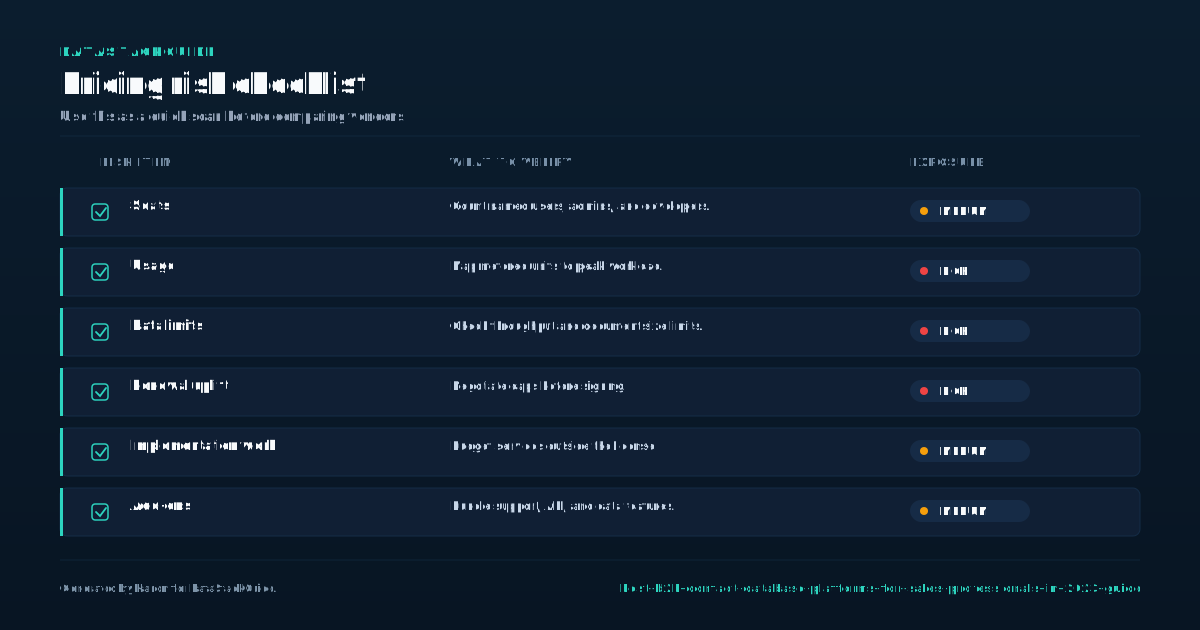
Data quality is the single most important factor when choosing a B2B contact database platform, and it is also the hardest to evaluate before you buy. Every vendor will tell you their data is verified, fresh, and accurate. Your job is to test that claim before signing anything.
- Start by asking for a trial or a sample export.
- Pick a few dozen contacts from your target market and run them through your actual sales process.
- Track bounce rates, answer rates, and how many contacts are still in the role the platform says they are.
Call the numbers. Send emails to the addresses. If you see bounce rates above a small single-digit percentage or wrong numbers above a similar threshold, that is a red flag. Next, ask the vendor how they collect and verify data.
Some platforms rely on user-contributed data, which can be stale. Others use automated scraping, which can produce inaccurate or outdated records. The best platforms combine multiple sources and run verification cycles on a regular schedule. Ask how often records are re-verified and what percentage of their database has been verified recently.
Also ask about their policy on bad data. Do they credit you for bounced contacts? Do they have a process for reporting inaccuracies? A vendor that stands behind its data will have answers to these questions.
A vendor that dodges them is telling you something important. Do not accept marketing language as a substitute for evidence. The only way to know if the data is good is to test it yourself before you are locked into a contract.
Customization and Filtering Capabilities
A large contact database is useless if your reps cannot narrow it down to the people who actually match your ideal customer profile. Filtering is where most platforms reveal their real value. At a minimum, you should be able to filter by job title, seniority, industry, company size, geographic location, and company headcount.
- If you sell into a specific niche, you also need filters for technologies used, funding stage, or recent company events like leadership changes or product launches.
- ZoomInfo offers deep filtering, including intent data that signals when a company is researching topics related to your product.
- This can be useful, but intent data is noisy and should be treated as a signal, not a guarantee.
LinkedIn Sales Navigator excels at filtering by role, company, and seniority, and it adds relationship signals like whether a contact has changed jobs or whether a mutual connection can introduce you. HubSpot's filtering is more basic, reflecting its identity as a CRM rather than a dedicated database platform.
When you evaluate filtering, think about how your reps actually build lists. Do they start from a target account list and pull contacts at each account? Do they search by persona across many companies? Do they need to exclude existing customers or competitors?
The platform should support these workflows without making reps jump through hoops. Test the filter interface during a trial. If it takes more than a few minutes to build a targeted list of a few dozen good contacts, the platform will slow your team down in practice, no matter how much data it contains.
Integration with Sales Tools and CRM Systems
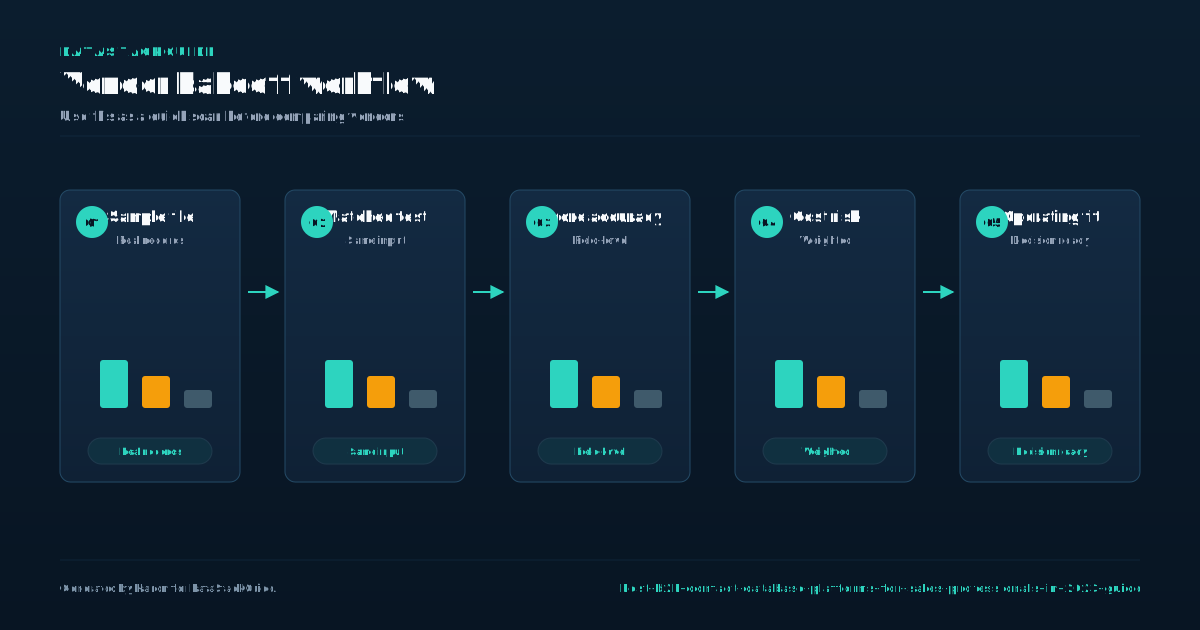
A contact database platform that does not connect to your CRM is a liability. Reps will either manually copy records, which wastes time and introduces errors, or they will skip the CRM entirely, which means you lose visibility into pipeline activity. When evaluating integration, do not just check whether a connector exists.
- A basic integration might let you push a contact from the database into your CRM with a single click.
- A better integration will also sync updates, log activities, and let you enrich existing CRM records without creating duplicates.
- Ask whether the integration respects your CRM's deduplication rules and whether it can match contacts to existing accounts automatically.
Check how deep it goes. ZoomInfo offers integrations with Salesforce, HubSpot, and other major CRMs, and it can enrich records in both directions. LinkedIn Sales Navigator integrates with Salesforce and a few other CRMs, but the integration is more limited and focused on account and lead syncing rather than data enrichment.
HubSpot CRM is itself the CRM, so there is no integration needed, but if you use HubSpot as your CRM and want a deeper contact database, you will need to connect a third-party tool. Also consider API access.
If your team runs custom workflows or uses a data warehouse, you need a platform with a documented API and reasonable rate limits. Ask for API documentation before you buy. If the vendor cannot provide it or the API is restricted to enterprise tiers, that will limit what your team can do as you grow.
Integration depth is a make-or-break factor for adoption.
User Support and Onboarding Process
Even the best platform will underperform if your reps do not know how to use it. Onboarding and support matter more than most buyers realize, and vendors vary widely in what they offer. ZoomInfo typically assigns a customer success manager and provides onboarding sessions, but the quality of that support depends on your contract size.
- LinkedIn Sales Navigator offers self-guided training and some live sessions, but the depth of support is limited compared to enterprise data platforms.
- HubSpot has a large library of free training content and an active community, which makes it easier for small teams to get started without a dedicated trainer.
- What happens when a rep cannot find a contact?
Smaller customers may get less attention. When you evaluate support, ask specific questions. Is there a support channel with a guaranteed response time? Is there a dedicated contact for your account, or do you go through a general support queue?
Also ask about training materials. Are there short video tutorials your reps can watch during onboarding? Is there a knowledge base that answers common questions without requiring a support ticket? Test the support process during your trial.
Submit a ticket and see how long it takes to get a real answer, not an auto-reply. If the vendor is slow to respond during the sales process, when they are trying to win your business, they will be slower after you sign. Onboarding should take days, not weeks.
If the vendor's onboarding plan requires months of professional services, that is a sign the platform is harder to use than they admit.
Security and Compliance Considerations
Contact data is personal data, and personal data is regulated. If your sales team operates in the EU, the UK, California, or any jurisdiction with data protection laws, your database platform needs to comply with those regulations.
- GDPR and CCPA are the two most common frameworks you will encounter, and any reputable vendor should be able to provide documentation of their compliance posture.
- Ask for their data processing agreement and their subprocessor list.
- If they cannot provide these quickly, walk away.
Beyond legal compliance, think about data security. How does the platform handle access control? Can you restrict certain reps to certain data sets or regions? Can you audit who viewed or exported what records and when?
These features matter if you have a large team or if you sell into industries where data handling is scrutinized, like healthcare or finance. Also ask about data residency. If your company is required to keep data within a specific region, the vendor needs to support that.
Some vendors store data in US-based servers only, which can create issues for EU-based teams. Finally, consider what happens to your data when you leave the platform. Can you export all the contacts you have saved? Does the vendor retain your data after contract termination?
A clean exit process is something most buyers never think about until they need it, and by then it is too late. Get the answers in writing before you sign. Security is not a checkbox item. It is a set of operational requirements that should match how your business actually handles data.
Decision Framework for Choosing a B2B Contact Database Platform
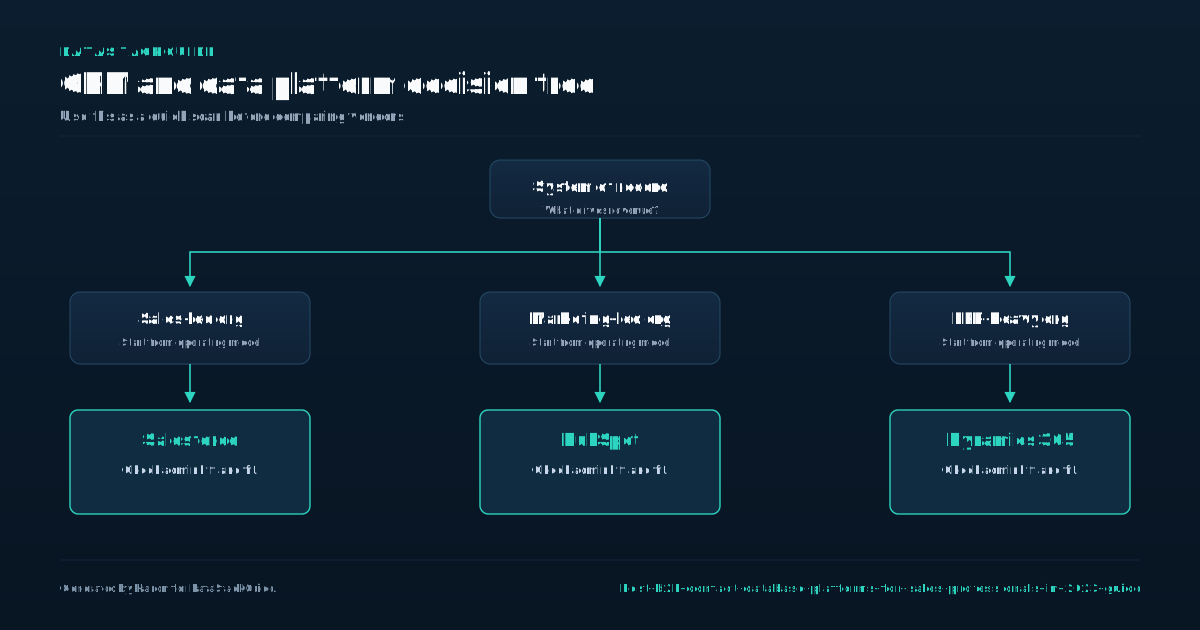
By now you should have a clear picture of what to look for. Here is a decision framework you can apply to any platform, not just the three covered here. First, define your primary use case.
- If your team does high-volume outbound calling, prioritize direct dial coverage and data accuracy on phone numbers.
- If your team runs email sequences, prioritize email deliverability and bounce policies.
- If your team does account-based selling, prioritize firmographic filters and account-level data.
Second, run a data quality test before you commit. Get a sample, call the numbers, send the emails, and track results. Do not skip this step. Third, map your CRM integration requirements.
List the specific workflows your reps need, like one-click push, enrichment of existing records, and activity logging. Confirm the platform supports each one. Fourth, evaluate filtering against your ideal customer profile. Build a test list during the trial and measure how long it takes.
Fifth, test support by submitting a ticket and timing the response. Sixth, request security documentation and confirm compliance with any regulations that apply to your business. Seventh, check pricing transparency. If a vendor will not share pricing without a call, factor that into your decision.
It tells you about their sales model and what dealing with them will be like after you sign. Apply this framework to every platform you evaluate and you will avoid the most common mistake: buying on reputation and discovering the gaps six months into a contract.
The right platform is the one that fits your team's actual workflow and passes your own data quality test, not the one with the best sales pitch.
Sources
Frequently Asked Questions
What is a B2B contact database platform?
It is a tool that gives sales teams access to business contact records, including names, job titles, email addresses, phone numbers, and company details. Some platforms also provide intent signals and technographic data.
The goal is to help reps find and connect with potential customers faster than they could through manual research.
How do I test data accuracy before buying a platform?
Ask for a trial or sample export of a few dozen contacts in your target market. Call the phone numbers, send emails to the addresses, and track bounce rates and answer rates.
If bounce rates or wrong numbers are above a small single-digit percentage, treat that as a warning sign. Also ask the vendor how often they re-verify records and what percentage of their database has been verified recently.
Can I filter contacts by specific criteria on these platforms?
Yes, but the depth of filtering varies. Most platforms let you filter by job title, industry, company size, and location. More advanced platforms add filters for technologies used, funding stage, and intent signals.
Test the filter interface during a trial by building a list that matches your ideal customer profile and timing how long it takes.
Do these platforms integrate with my CRM?
Most do, but integration depth varies. A basic integration lets you push a contact into your CRM. A deeper integration syncs updates, logs activities, and enriches existing records without creating duplicates.
Confirm that the integration supports your specific workflows, including deduplication and account matching, before you commit.
What security and compliance questions should I ask?
Ask for the vendor's data processing agreement, subprocessor list, and documentation of GDPR or CCPA compliance. Ask about access controls, audit logs, data residency options, and what happens to your data if you cancel the contract.
Get the answers in writing. If a vendor cannot provide these documents quickly, that is a red flag.